
Case Study · Studio Product
StoreShots,
the Screenshot Studio
A macOS app that turns App Store screenshots from a day of chores into minutes: boot the iOS Simulator, capture with a hotkey, design in a built-in editor, export at Apple's exact pixel sizes. Everything stays on your Mac.
Type
macOS App / Developer Tool
Status
v0.1.0, indie soft-launch
Timeline
48 hours, idea to DMG
Scope
Design + Rust + React
Problem
Every iOS app launch ends with the same chore: App Store screenshots. Capturing the right screens, cleaning them up, designing marketing frames in a separate tool, then exporting at the exact sizes Apple demands. It quietly eats a full day per release.
Screenshots are captured by hand, one simulator and one screen at a time
Design happens in Photoshop or Figma, far from where the app actually runs
Apple rejects uploads that are even one pixel off the required sizes
Online screenshot tools ask you to upload an app that isn't public yet
StoreShots does the whole thing in one small Mac app: capture, design, export, done. Nothing ever leaves your computer.
Design
Capture While You Demo
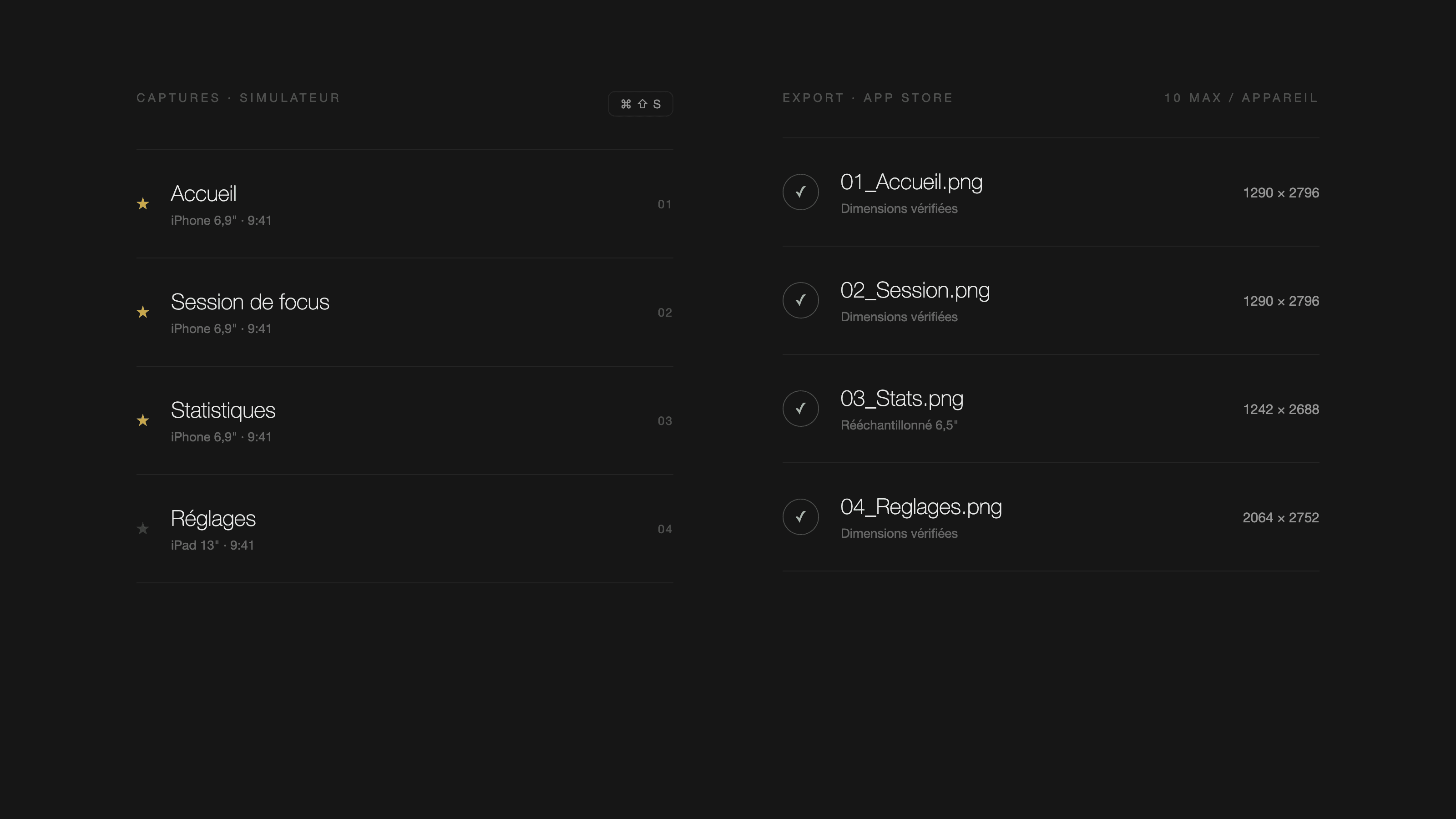
You drive your app in the simulator like normal. Whenever a screen looks right, one keyboard shortcut grabs it, asks for a short label, and files it in the project. The clock always reads 9:41, like Apple's own screenshots.
A Real Editor Built In
Backgrounds, device frames, headlines, shadows: everything you'd open Photoshop for lives inside the app. 53 ready-made backgrounds, drag to move, corners to resize, undo when you change your mind, and one click to apply a look to every screen.
Exports That Pass Review
One button renders every screen at the exact pixel sizes Apple requires, checks each file, numbers them in order, and opens the folder. The three screenshots that matter most are starred so you put your best first.
Private by Default
Unreleased apps are secrets. StoreShots works entirely offline on your Mac; your builds and screenshots never touch a server.
Key Features
One-Key Capture
A global shortcut captures the simulator while you use your app, with a clean 9:41 status bar every time.
53 Ready Backgrounds
Cosmic, glass, gradient, abstract: a full library generated by the app itself, plus your own brand colors and fonts.
Layers Like a Design Tool
Screenshots and headlines are layers you drag, resize, and rotate, with snap guides and undo/redo.
Realistic Shadows & Light
Eight light-and-shadow scenes (soft blinds, leaves, window light) add depth without any photo assets.
Exact Apple Sizes
iPhone and iPad exports at the precise pixels App Store Connect expects, with the smaller iPhone size generated automatically.
Everything in a Project
Captures, designs, and assets save automatically as you work; reopen the project and continue where you left off.
How It's Built
StoreShots is a tiny native Mac app (the whole download is about 5 MB). The interface is web technology wrapped in a native shell, and the parts that talk to Apple's tools are written in Rust, the same language used for high-reliability systems. All the backgrounds and shadow effects are generated by code rather than shipped as images, which is why the app stays so small.
Under the Hood
One rendering brain
The preview you edit and the file you export come from the same rendering code, so what you see is exactly what Apple receives.
Exports double-checked
After writing each PNG, the app re-reads it and verifies the dimensions before declaring success. A bad export can't slip through.
Your work can't be lost
Every change saves automatically, and files are written in a way that survives a crash mid-save.
What We Learned
Tools win inside the workflow
The moment of value is while the developer is driving their app. Putting capture on a hotkey there, instead of asking for uploaded files, is the whole product.
Small scope, hard edges
Two devices, ten screenshots each, exact sizes: embracing Apple's constraints made a 48-hour build possible without feeling thin.
Generate, don't bundle
Drawing every background and shadow with code instead of shipping images kept the app at 5 MB and every preset sharp at any size.